Bring selected sources together.
Combine supported app audio and hardware inputs in a shared output mix. Sangam shows its transport delay; actual timing depends on your sources, audio device and receiving app.
Sangam combines your microphone and selected Mac audio into one virtual microphone. Route it to the call or recording app you choose.
A practical setup
Send your voice, instrument app and backing track together through one microphone route for a lesson, call or recording.
Add your microphone, instrument app and backing track as sources in Sangam.
Choose Sangam as the microphone in the call or recording app that will receive the mix.
Make a short test recording and adjust the balance before the lesson starts.
Before you begin
Use a Mac app that lets you select Sangam as its microphone. Audio interfaces and app routing vary, so test the route in your own setup.
Sangam 1.2.2
A silent tour of the mixer, a selected app’s EQ panel and the voice console.
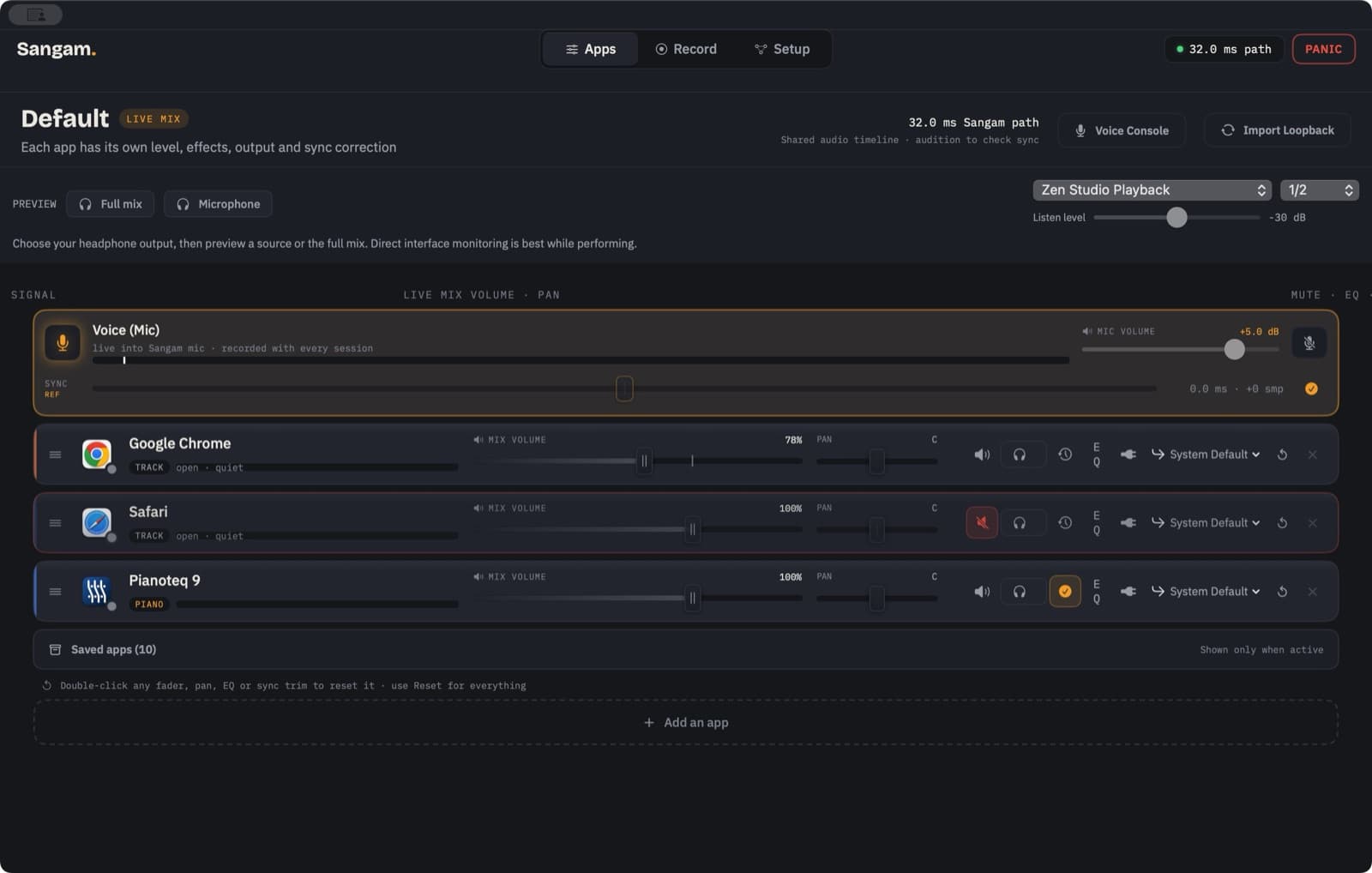
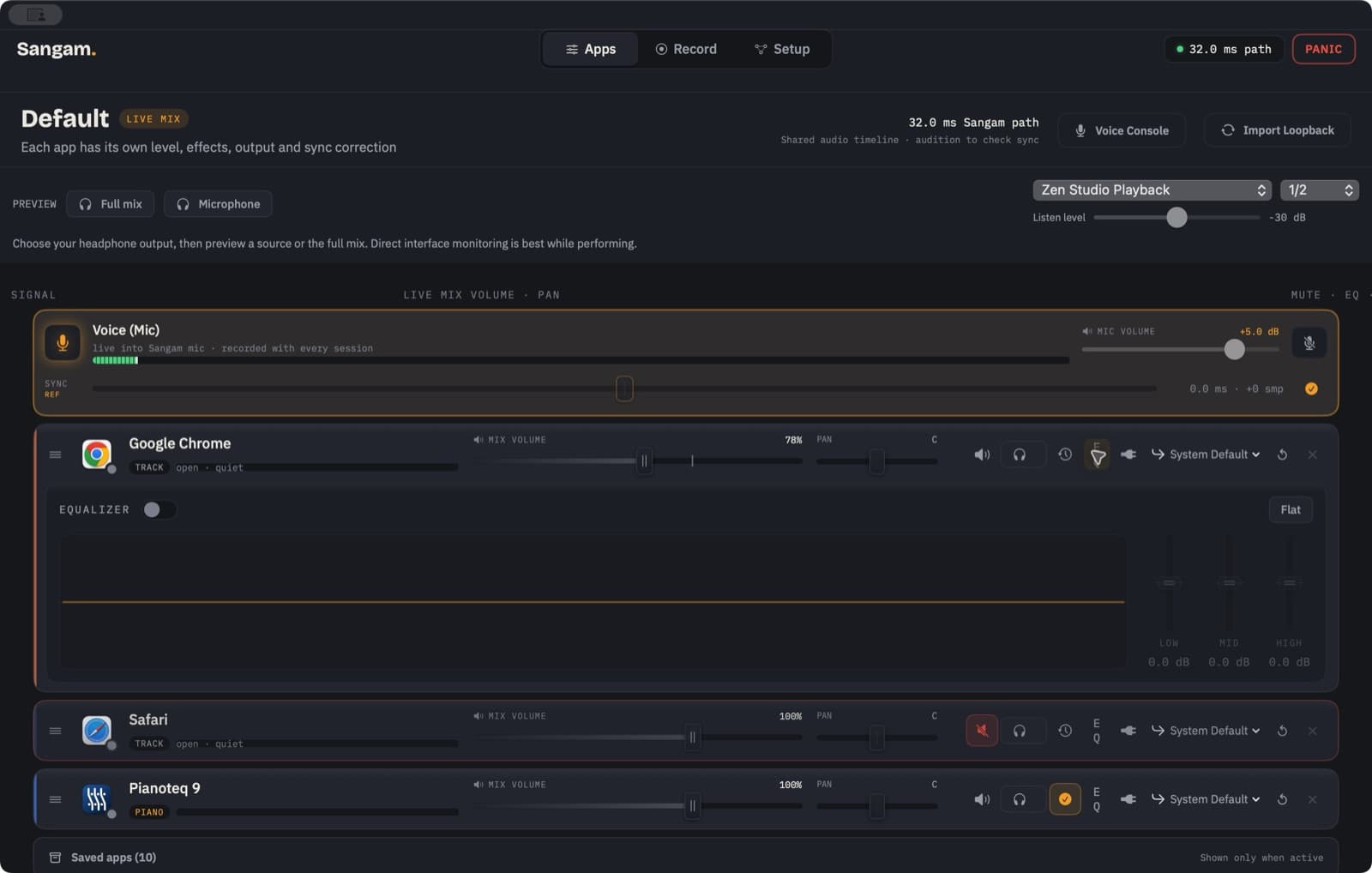
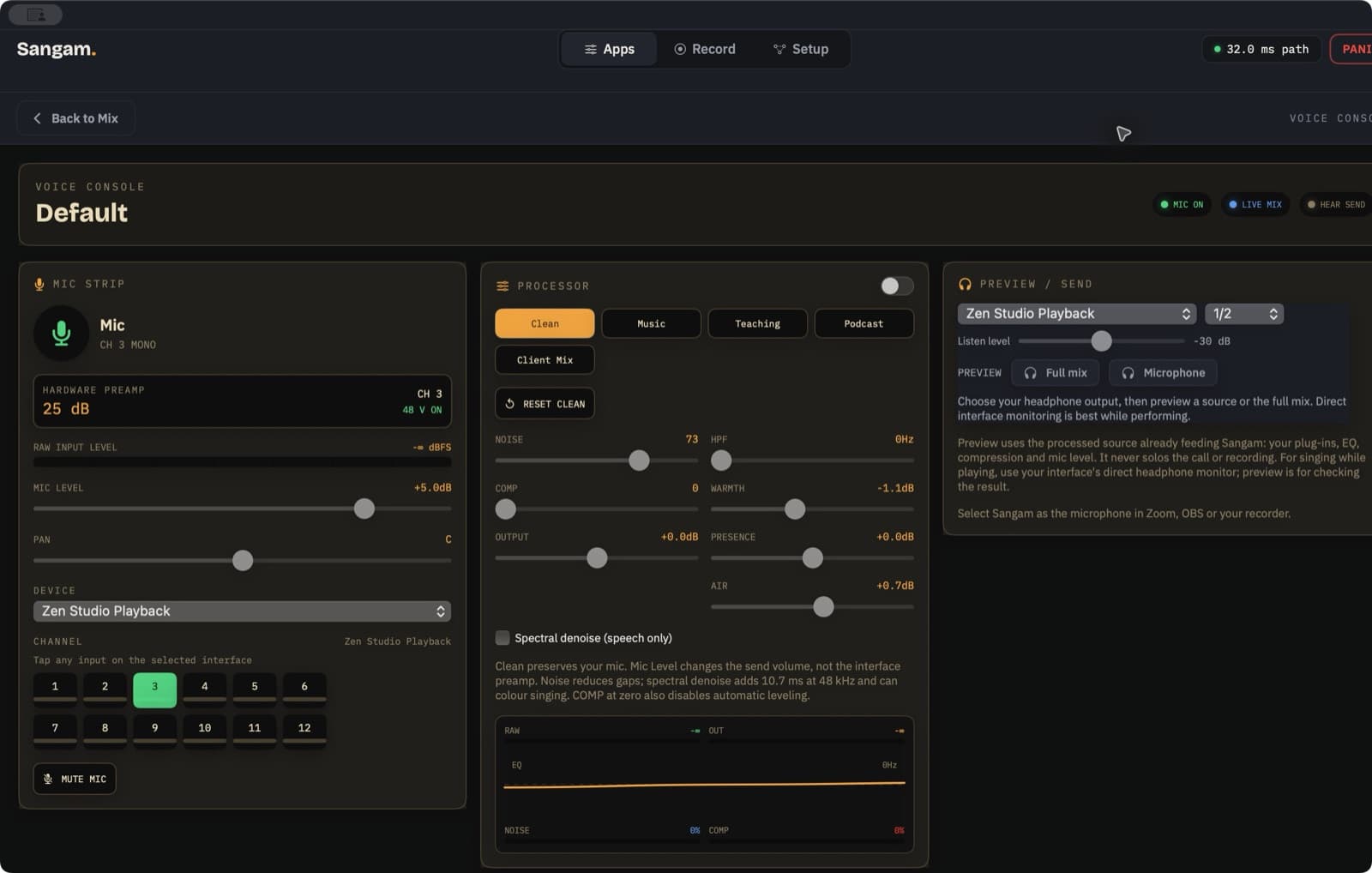
Route selected Mac apps, interface and voice to a virtual mic. About 1–2% of one CPU core at idle on our studio Mac; includes spectral voice-noise reduction.
Combine supported app audio and hardware inputs in a shared output mix. Sangam shows its transport delay; actual timing depends on your sources, audio device and receiving app.
The virtual microphone stays available while capture runs when a call app, recorder or monitor needs it. On our studio Mac, measured idle use was about 1–2% of one CPU core; workload and Mac affect the result.
Record the stereo mix routed to Sangam’s virtual microphone as 24-bit WAV. Check source levels and the receiving app’s input before a lesson or recording.
Optional spectral reduction helps lower steady hiss, fan and hum beneath the voice, alongside a gate, tone EQ, compressor and speech leveler. The spectral pass adds 10.7 ms; Sangam includes it in its timing calculation and keeps voice processing separate from app and instrument paths.
Sangam keeps track audio on the voice timing reference and uses the measured MIDI-to-sound delay to align a piano path. Actual timing depends on the audio devices and apps in your setup.
Create virtual devices and route supported app audio among configured outputs and channel pairs. See those routes together in Sangam’s patchbay.
Sangam started as the routing engine behind my own streaming and teaching rig. It is designed around ordinary Core Audio interfaces, browser audio, virtual instruments and the mic input you actually choose for the session.
macOS 14.2+ · Apple silicon and Intel
The complete signed package updater is being prepared. The current universal installer includes an audio driver that needs administrator permission; test the receiving app after installation. Later macOS releases still need testing.
Release notes and early build calls for this product.
No. A studio setup measured about 32 ms through Sangam before Zoom or OBS adds its own buffering. Total timing depends on the sources, audio devices and receiving app; your camera may need a separate sync adjustment.
Shruti controls supported apps’ volume, EQ and output. Sangam routes selected audio to a virtual microphone. GrabIt captures and organizes media you have permission to use. Multi-app discounts are being prepared; final prices and terms will be shown before checkout.
Sangam works with Core Audio interfaces. The first-release test setup requires at least one or two inputs and a stereo output; larger multi-channel setups can be configured in the same patchbay.
The current release workflow records clean 24-bit WAV files, as a live mix or separate source tracks.
Buy once. Lifetime use and all future updates to the apps you purchase, including future major versions. No subscription. The intended personal licence covers up to three Macs you use.
Give every Mac app its own volume, EQ and output device, with modes for real life on headphones, TV and stage.
Real-time vocal harmonies from your melody or the chords you hold, instant jazz voicings and a bass synth. Standalone, AU and VST3. Free for Mac.